a-text-logo0.png
Chat Settings
Personalise the web and SMS chat settings e.g. automated greeting messages, business opening times and chat button colour. 

Admin > Settings > Chat Settings

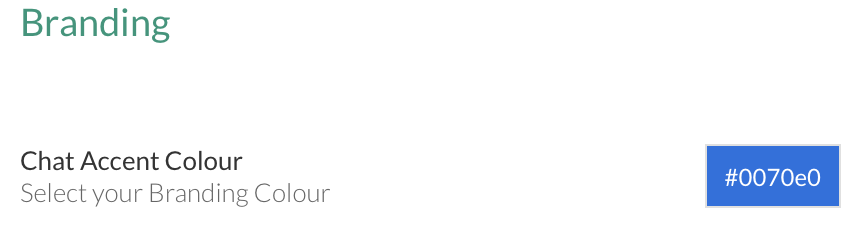
Applicable to both Web and SMS Chart. Define the colour theme of the chat you will deploy. This will include the chat button on the website and the "Start Chart" button:
Screenshot2021-11-18at17.44.47.png
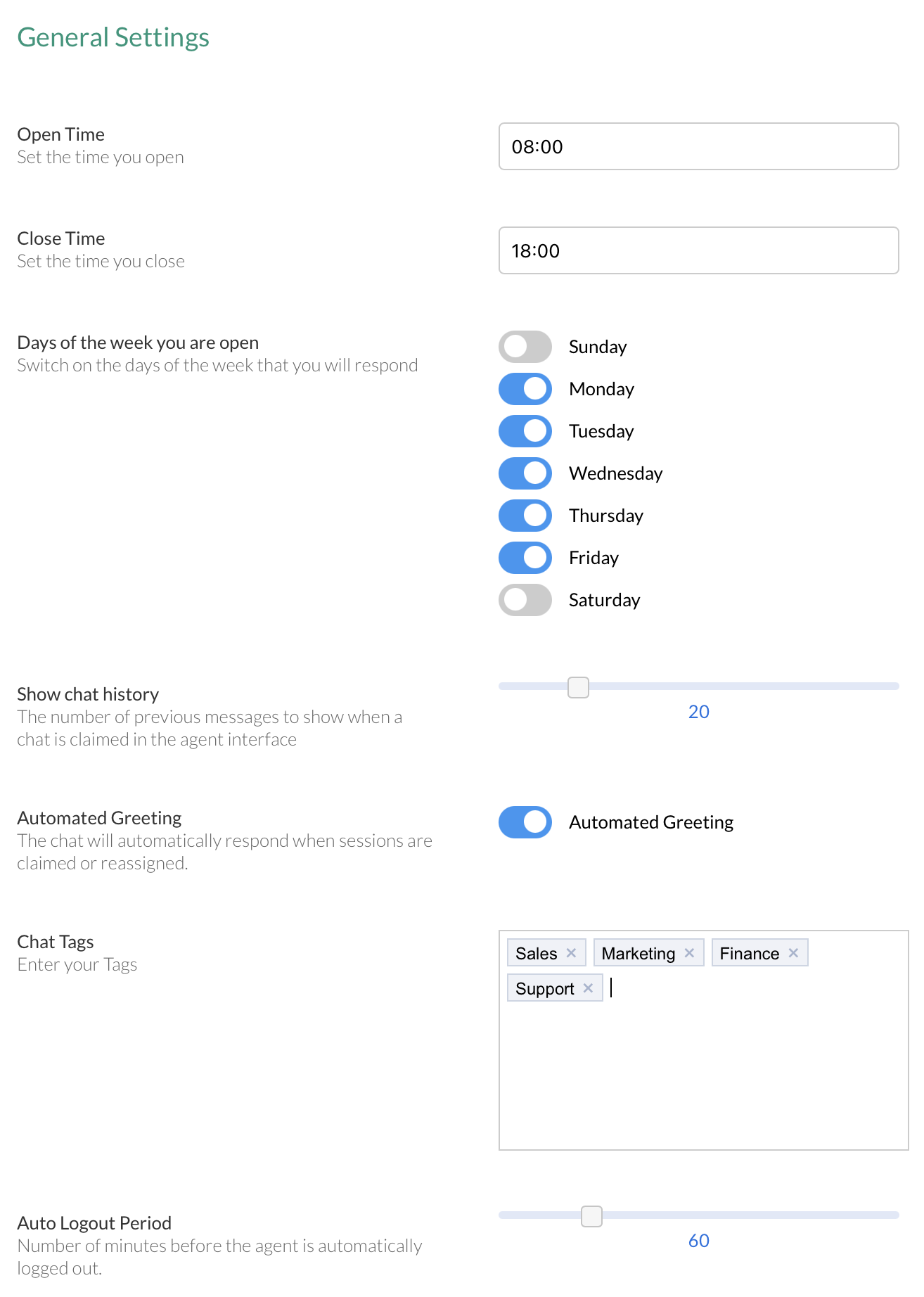
Set chat settings to personalise the chat experience.

These options will appear on the chat widget and inform contacts relevant information e.g. opening times, days of the week.

Chat Tags are tags entered against conservations in the chat widget from the agents end. These tags will identify the chat subject and allow for future reporting in the form of a pie chart under Chat > Dashboard > Tags.
Screenshot2021-11-18at18.09.08.png
Click on the blue, View Integration Code button to copy and paste the code on a web page to deploy arkflux web chat:
Screenshot2021-11-18at17.44.33.png
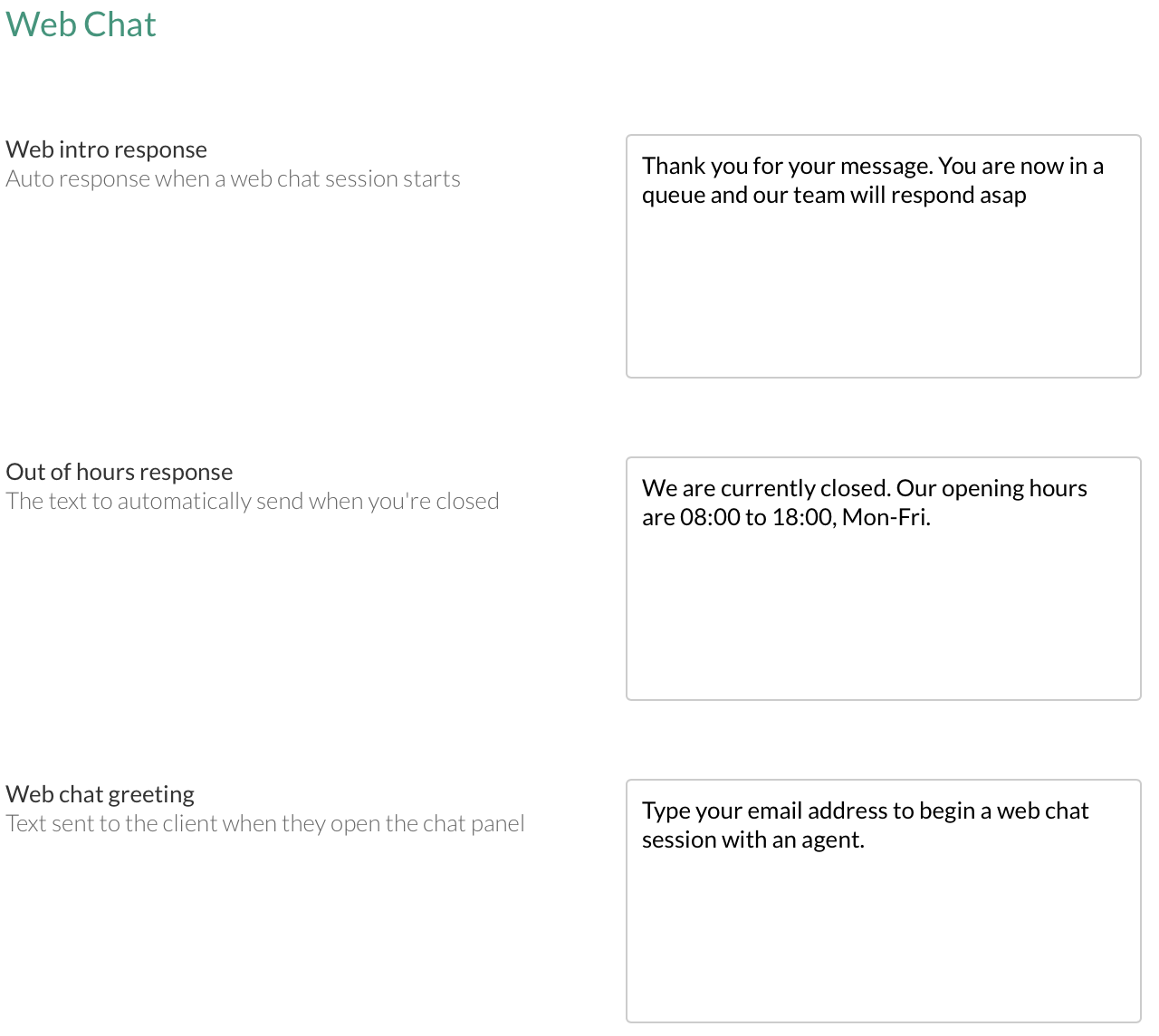
Personalise the response a contact will receive automatically when they enter their email address into the chat widget. 

Remind contacts of opening time or suggest alternative methods of contact in the out of hours response field.

Define the message a contact will see when they click on the web chat icon on the web page where the chat is deployed.
Screenshot2021-11-18at17.45.23.png
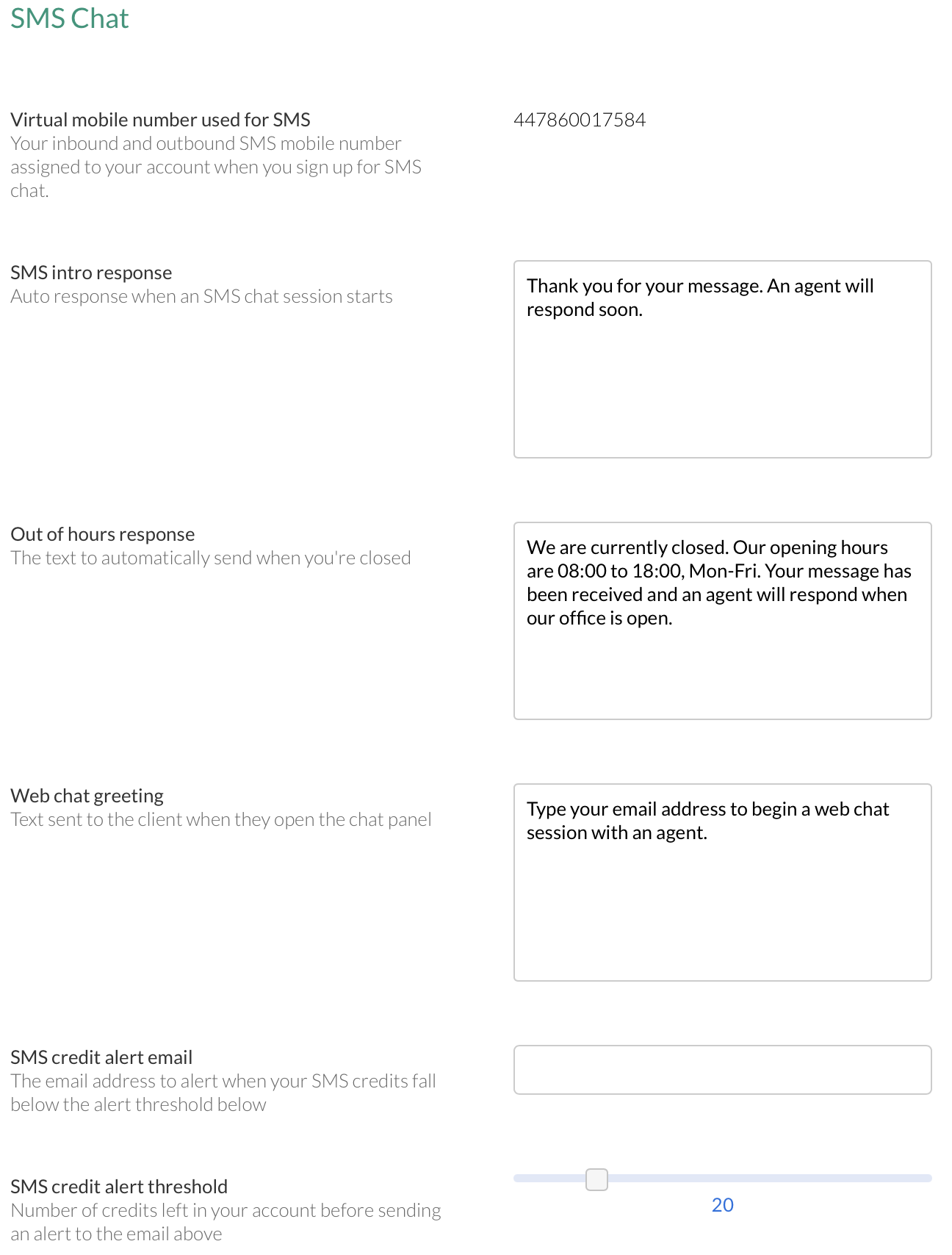
Personalise the response a contact will receive automatically when they enter their email address into the chat widget.

Remind contacts of opening time or suggest alternative methods of contact in the out of hours response field.

Define the message a contact will see when they click on the web chat icon on the web page where the chat is deployed.

Set an email alert when SMS credits fall below a certain threshold. 
Screenshot2021-11-18at17.45.37.png
Note: The virtual mobile number for use in SMS Chat is a paid extra. Please get in contact for more info.
Learn more about Web Chat and SMS Chat
Screenshot2021-08-30at13.48.01.png