a-text-logo0.png
Activities Calendar
Click to visit section

Overview
Draft vs Live
Create and manage Opportunities, Tasks, Comments, Social Media posts, SMS campaigns and Events via the Activities Calendar. 

Activities > Calendar
Screenshot2022-02-01at13.07.43.png
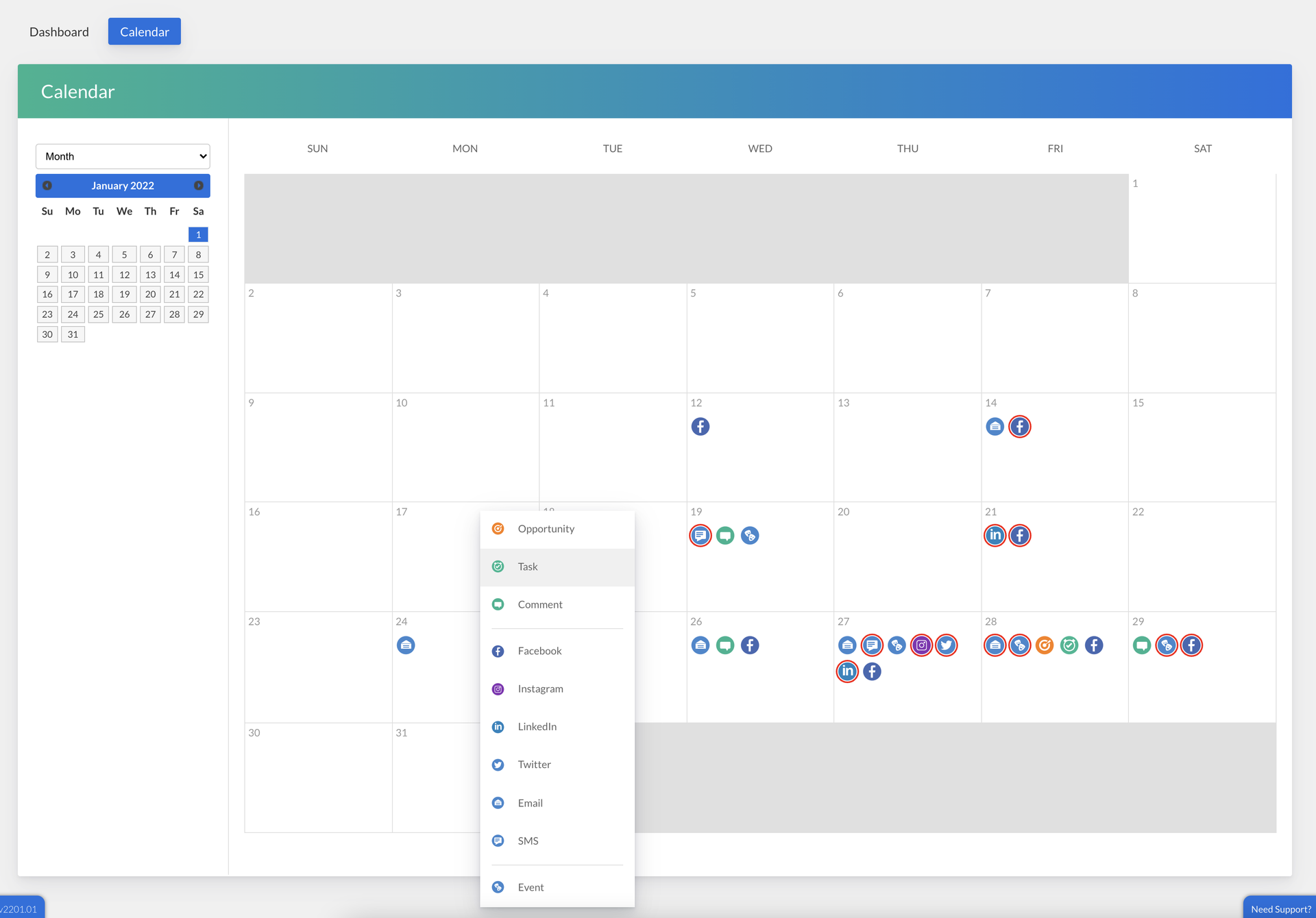
You can view the activity calendar by week or month using the drop down top left of the page.

Activities can be created by right clicking on the area of the calendar you want to create the activity to access the drop down options listed above.

For task, comment and opportunity creation, the corresponding blade will slide over for edit and easy navigation back to the calendar. For all marketing campaigns you will be taken to the workflow to populate the options. For event creation, you will be redirected to a new tab to complete the workflow.
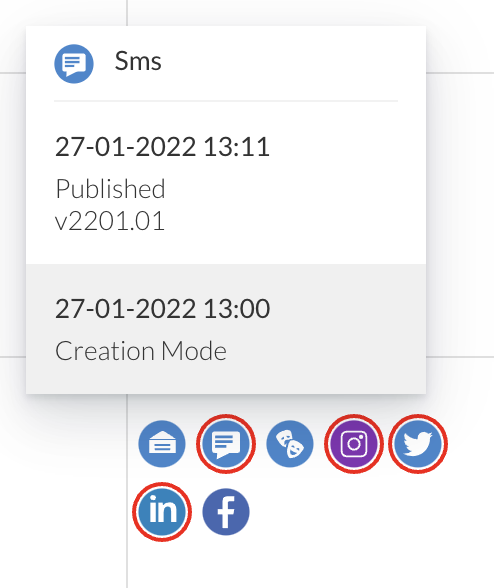
Once an activity has been created on the calendar, an icon will be created. If a marketing workflow - email, facebook etc - has not yet been fully completed and been either scheduled or published, it will appear with a red circle. This is to visually help signify it is not scheduled or published and further work is needed. 

Clicking into the activity with show you more details on it's status:
Screenshot2022-02-01at13.32.31.png
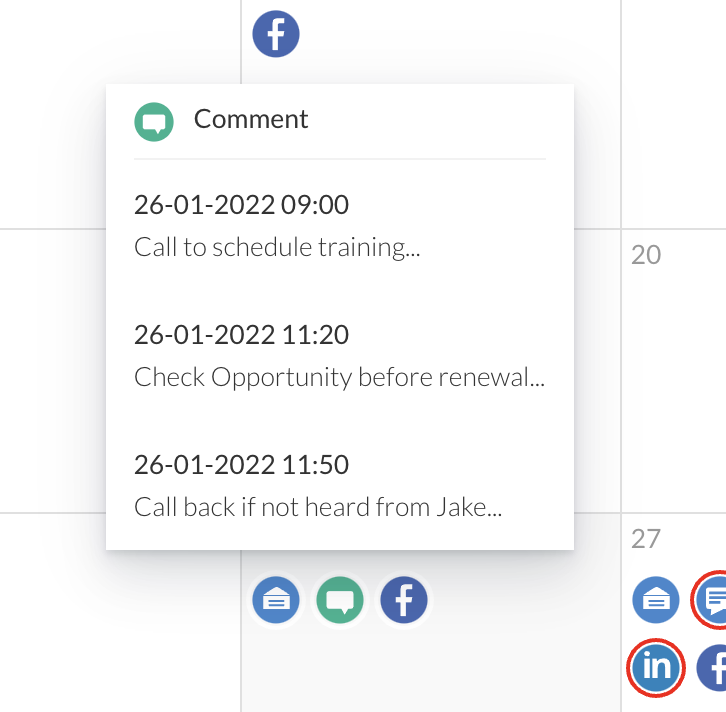
Only one icon will show per activity, so clicking into the activity will show you all listed:
Screenshot2022-02-01at13.16.36.png
Note: Upon creation, all activities will then be available under their corresponding areas in the main menu eg Task, Sales Opportunities, Events, Facebook etc for further reference and management.
Learn more about Task Boards
Screenshot2021-08-30at13.48.01.png