a-text-logo0.png
Microsoft 365 Integration
Integrate with Microsoft 365 and connect to your personal Microsoft 365 mailbox. View your Outlook calendar events alongside arkflux activities, send emails through your Microsoft 365 account, create Teams meetings with join links, sync calendar events in real-time. 

This initial integration only has to be done once by an arkflux admin for the functionality to be made available for each arkflux user to connect. 


Admin > Integration Management > Microsoft 365:
Microsoft 365 integration

Admin > Integration Management > Microsoft 365:
Screenshot_2026-02-24_at_13.55.58.png
Follow the set up instructions steps 1-8.

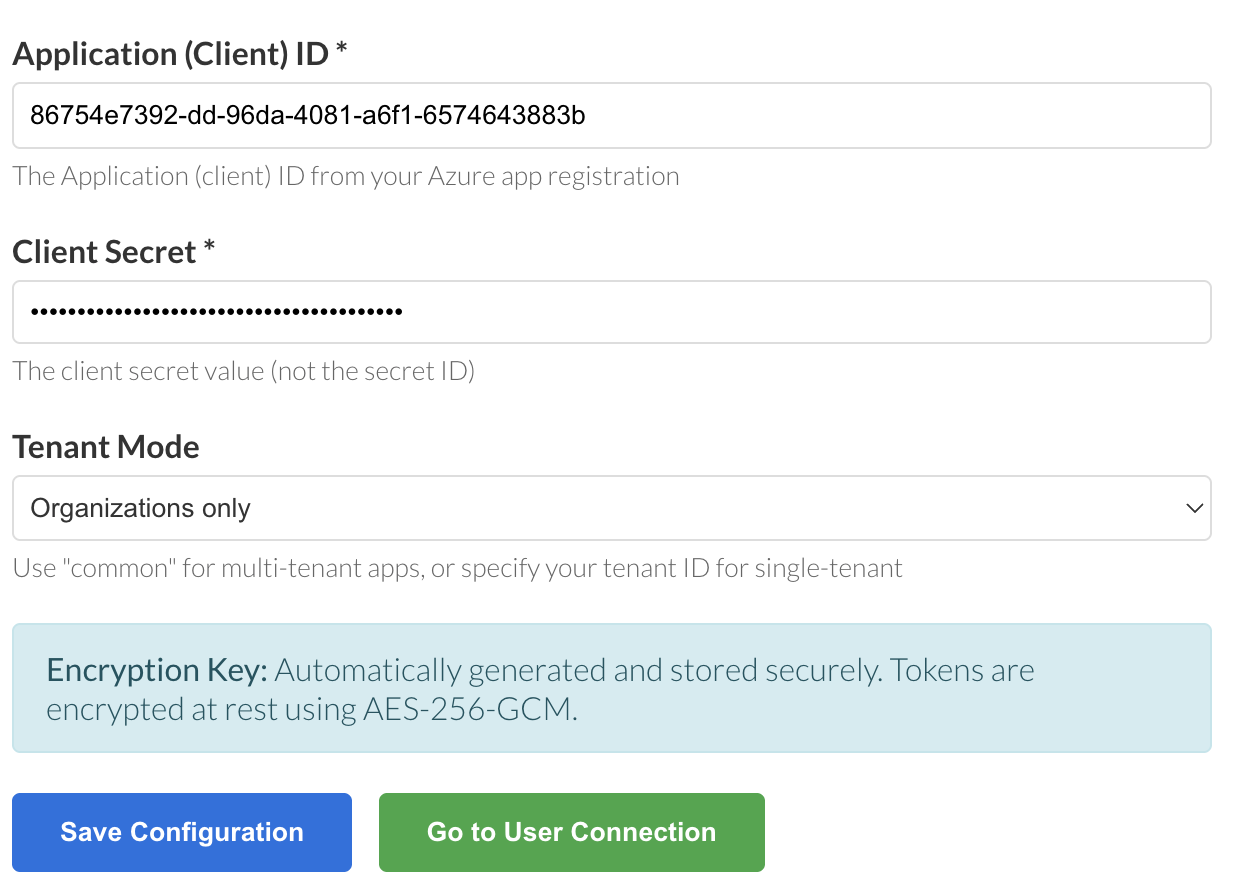
Enter the Applicant and Client Secret ID. Choose the appropriate option from the Tenant Mode dropdown and click 'Save Configuration':
Screenshot_2026-02-25_at_14.00.58.png
Connect your Microsoft 365 account

Click 'Go to User Connection' on the above page, or access the link at the top of any other page in the platform:
Screenshot_2026-02-25_at_14.28.15.png
Note:  Each arkflux user will be required to  connect their Microsoft 365 account through this process.
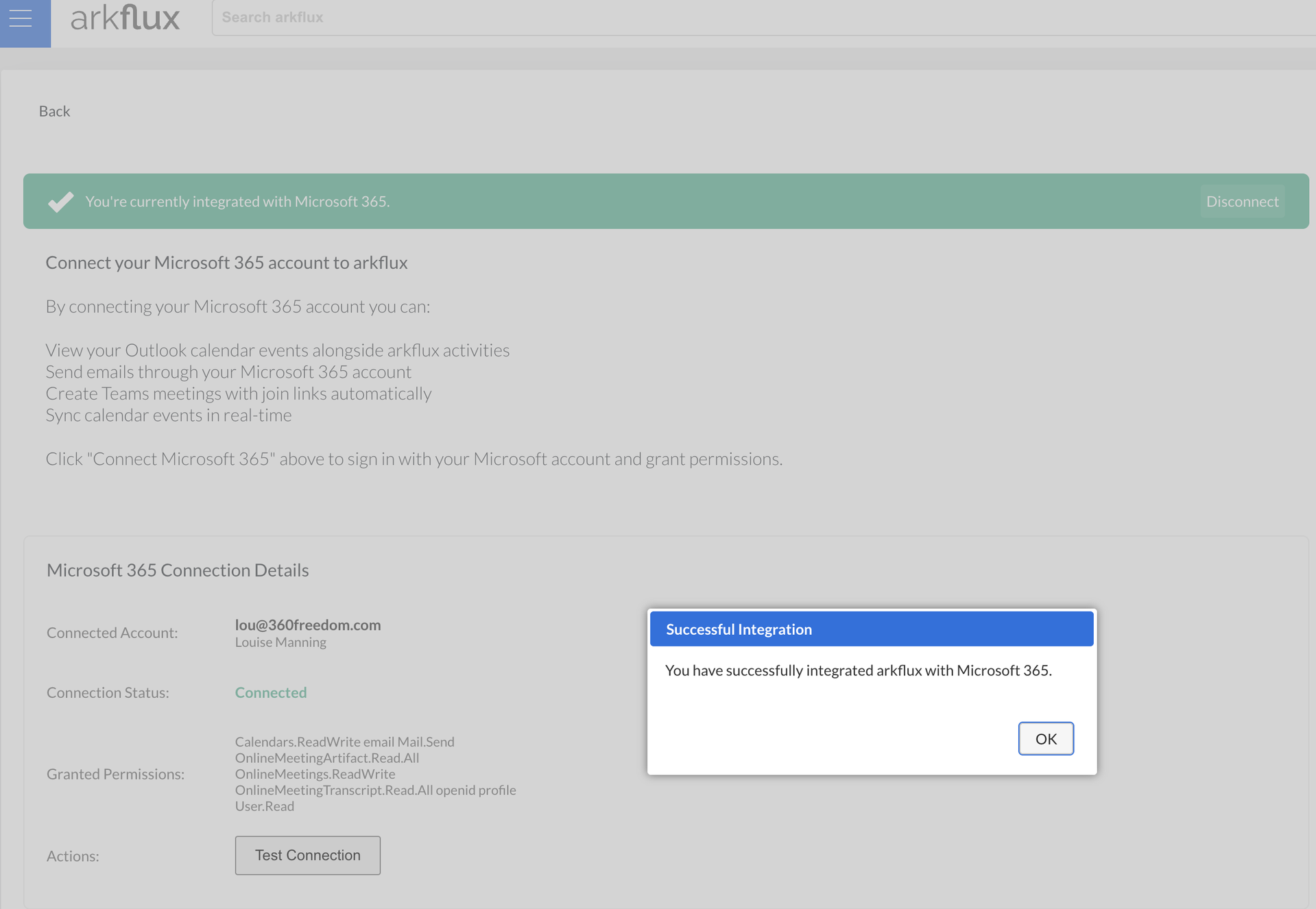
A single click will connect your Microsoft 356 account to arkflux:
Screenshot_2026-02-25_at_14.28.47.png
Learn more about what you can do in the arkflux platform with Microsoft 365 Feature Set.
Screenshot2021-08-30at13.48.01.png