a-text-logo0.png
Quotes
Click to visit section:

Create
Accept and Reject
Management
Create quotes to send to contacts, relating to opportunities created in arkflux.
Note: The Line Item module is required to be able to create quotes. This is available on the Growth Package.
Learn more about Line Items
Create an opportunity with the correct Line Items to send a quote to a contact.

Learn more about Sales Opportunity  Creation 
On the opportunity blade, click the green Quote activity button at the top of the screen:
Screenshot2022-05-06at10.16.31.png
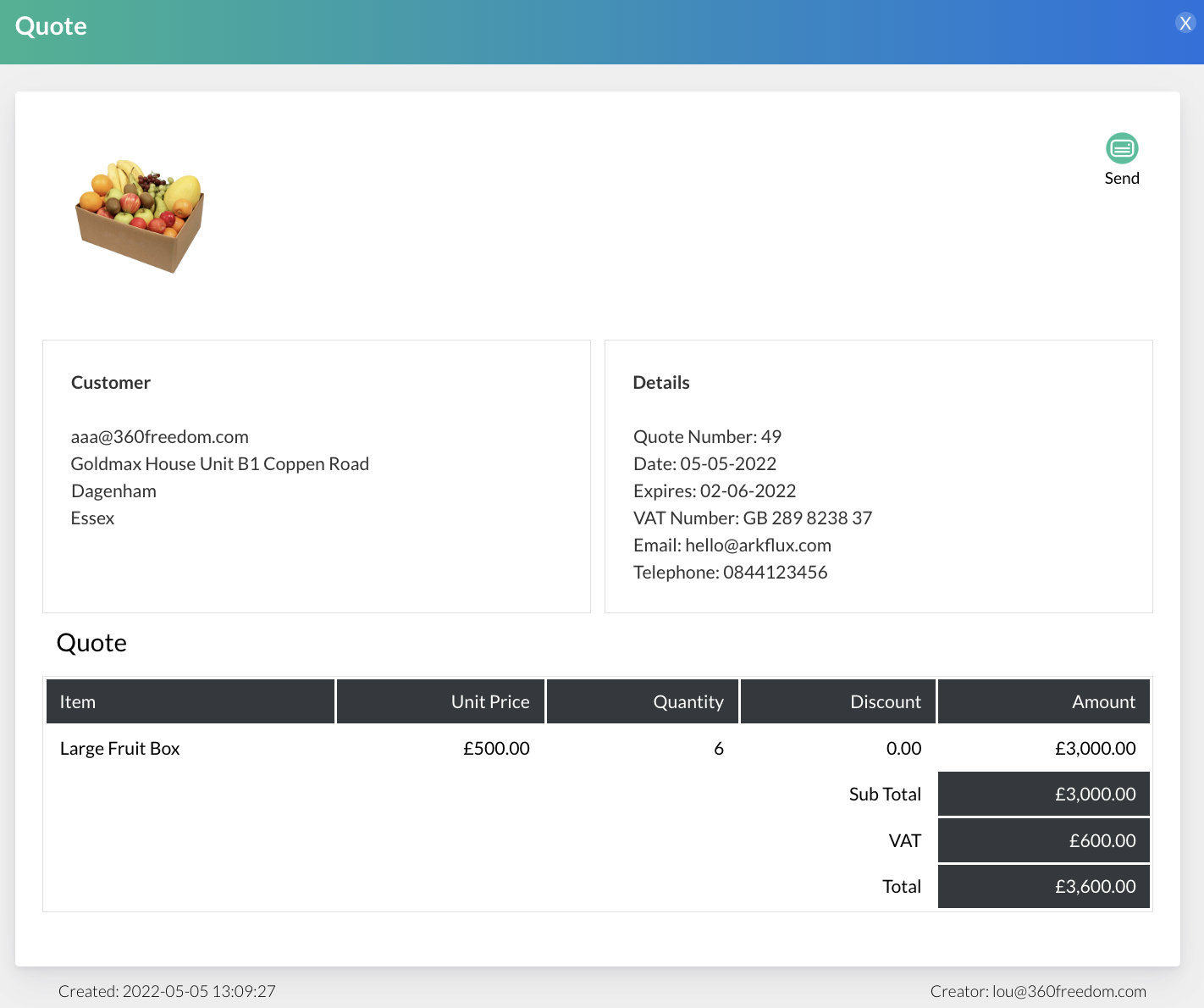
The quote blade will then show:
Screenshot2022-05-05at13.09.56.png
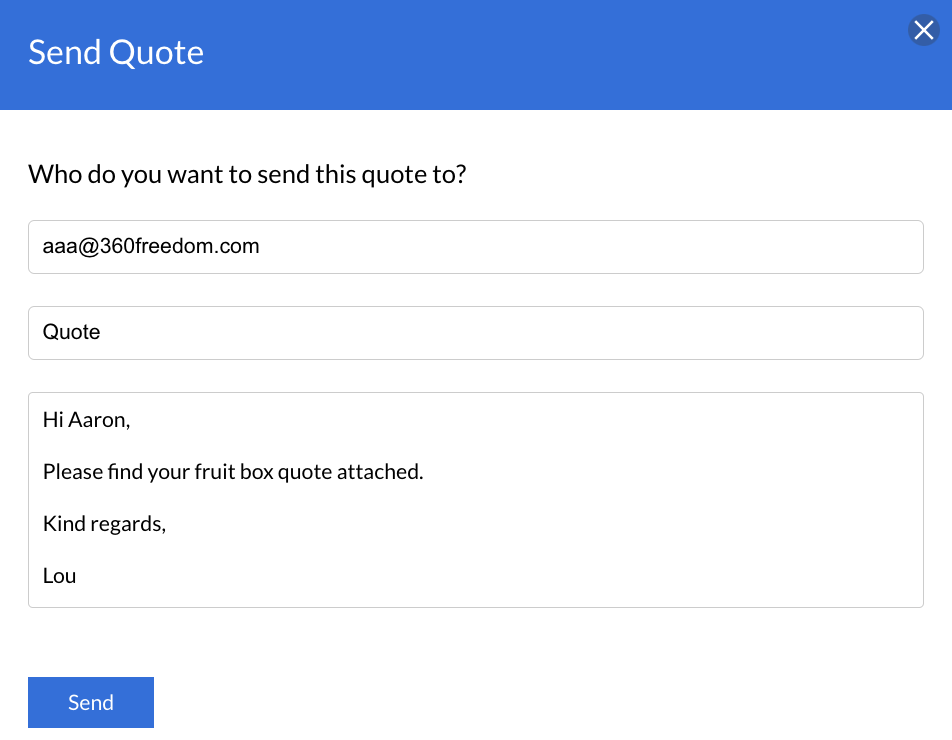
Click the Send activity button and enter a message to accompany the quote:
Screenshot2022-05-05at13.12.02.png
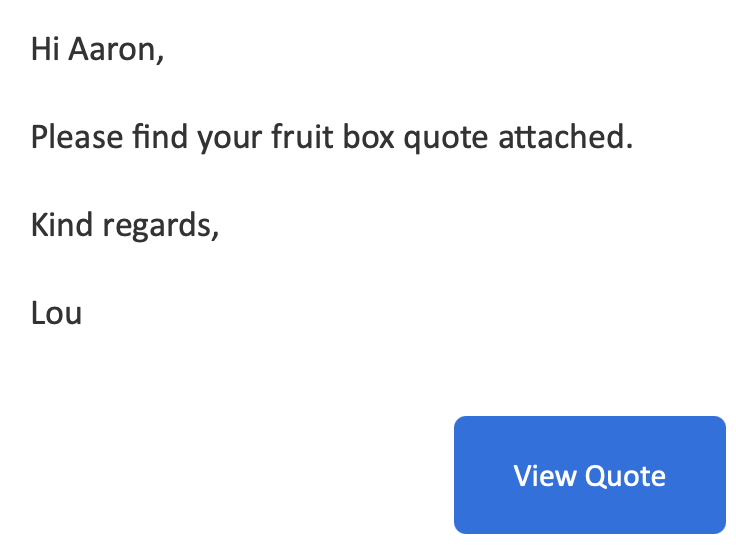
Upon clicking Send, the contact will then receive the quote in their mailbox with a link to View Quote:
Screenshot2022-05-05at13.12.49.png
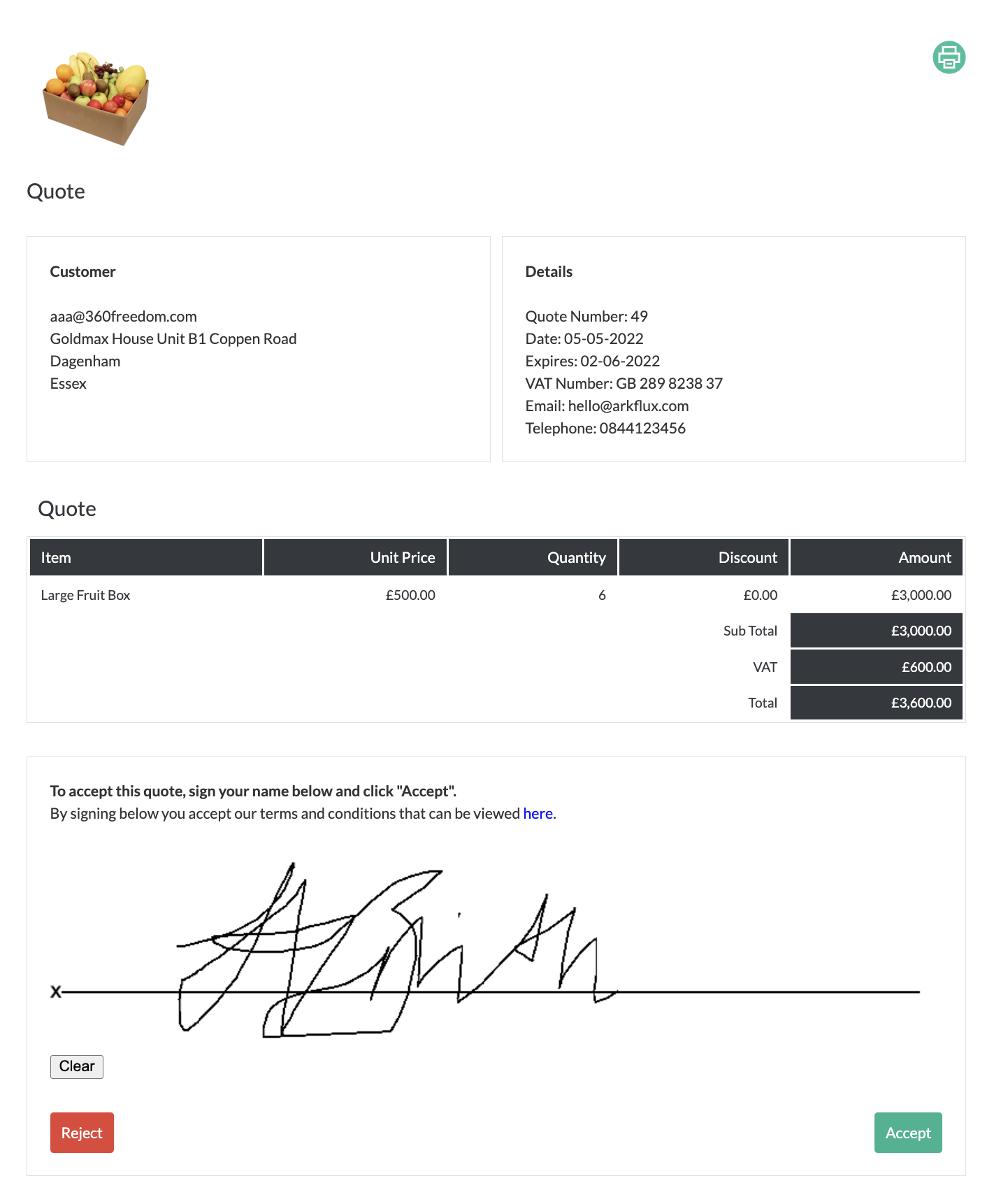
The contact can Accept or Reject the quote - if they look to accept the quote, there are options to read the company T's & C's (add the link to these under Admin > Accounts in the menu) and to digitally sign before clicking Accept:
Screenshot2022-05-05at13.13.36.png
Note: Each quote that is created will have a unique Quote Number assigned to it - helpful for referencing with contacts.
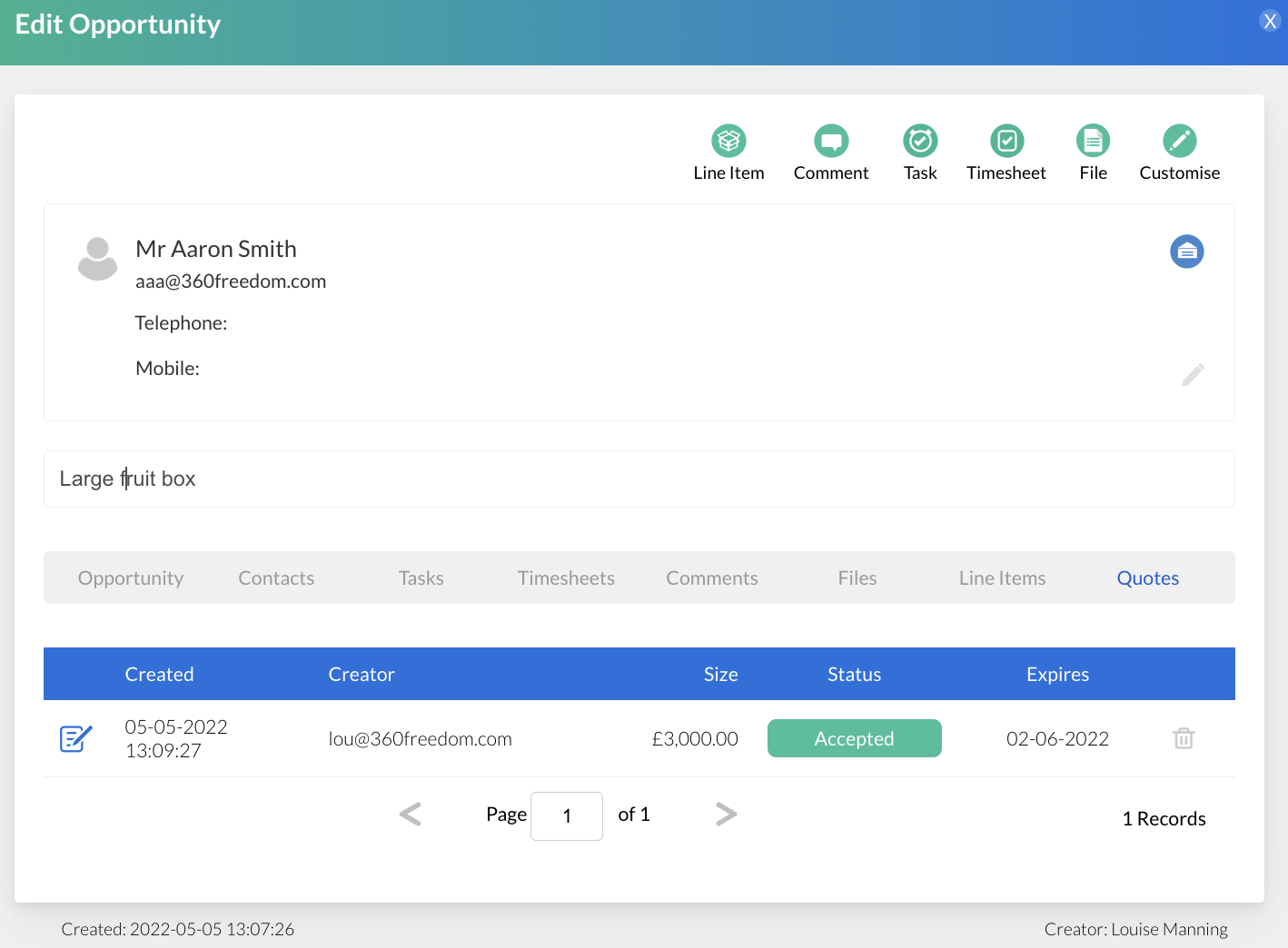
If Accepted, the quote will then be stored on the opportunity where it was created under the grey Quote menu heading and show as Accepted: 
Screenshot2022-05-05at13.19.01.png
Also under Sales > Quotes for future management. The creator of the quote will also receive an email to alert a quote has been Accepted.

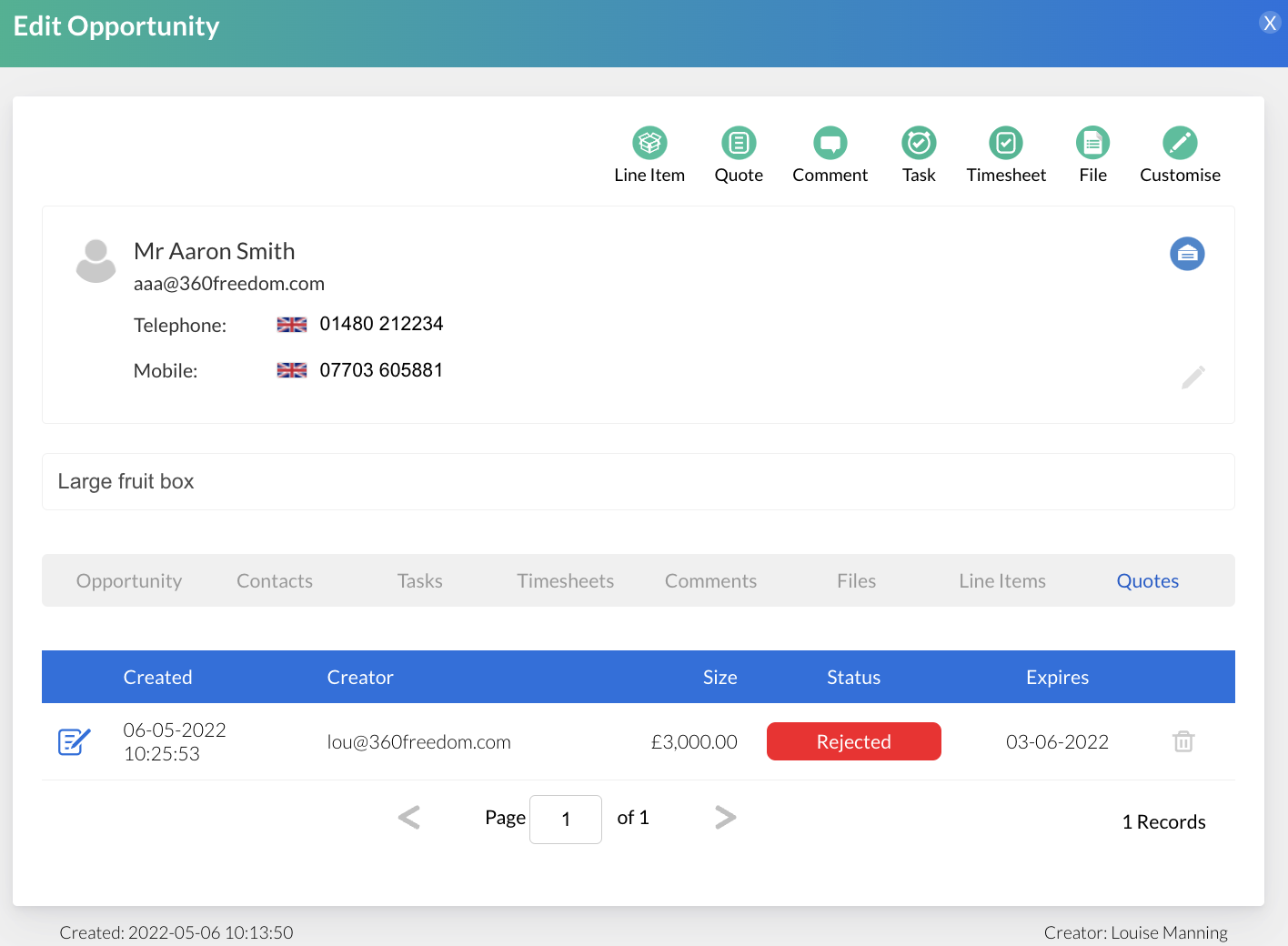
If Rejected, the quote will be stored against the opportunity and show as Rejected and the creator of the quote will also receive and email to alert a quote has been Rejected:
Screenshot2022-05-06at10.28.35.png
Quote activity will also be tracked against the contact the opportunity was created against and can be found on the Contact Timeline view under Quotes in the left hand menu.
Note: Integrate Quotes with arkflux Invoices to provide a streamline process for your contacts and internal team.
Learn more about Invoices
Screenshot2021-08-30at13.48.01.png