a-text-logo0.png
HMRC Companies House look up
Utilise the full list of companies available in Companies House within the Company and Contact Profile and form and survey templates.
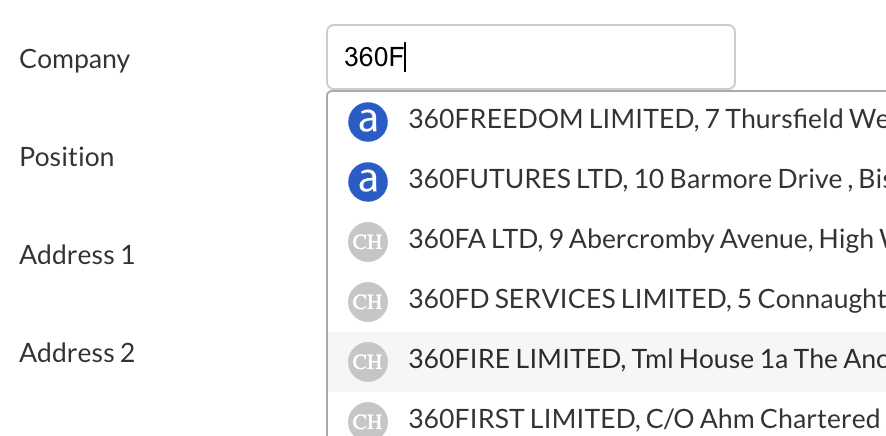
All companies will show in alphabetical order, with companies that already exist in the platform showing alongside the blue icon, and companies available for selection in Companies House show with the grey icon.

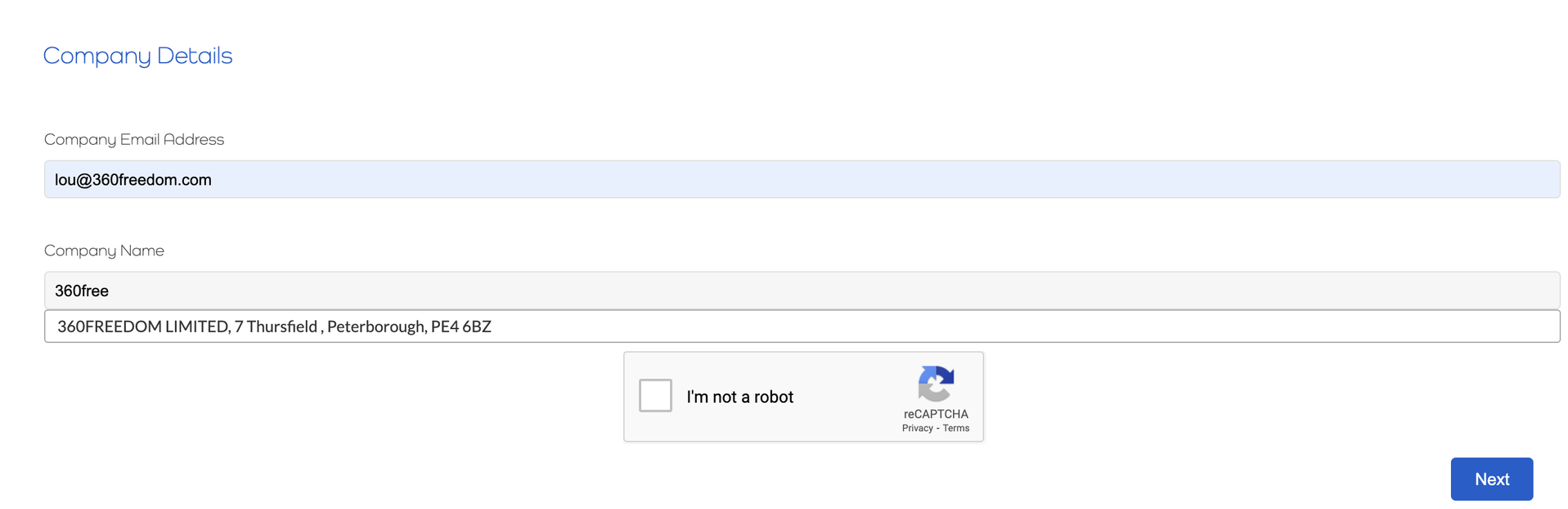
The integration with Companies House will help reduce duplicate companies entered into the platform. The selection of companies is not case sensitive e.g . if you enter 360freedom it will still discover 360FREEDOM.
Via Contact Profile
Within the contact profile, edit the company details via the grey edit pen, top right of the screen:
Screenshot2022-01-28at13.34.47.png
Within the company profile, edit the company details via the grey edit pen top right of the screen, as above. 
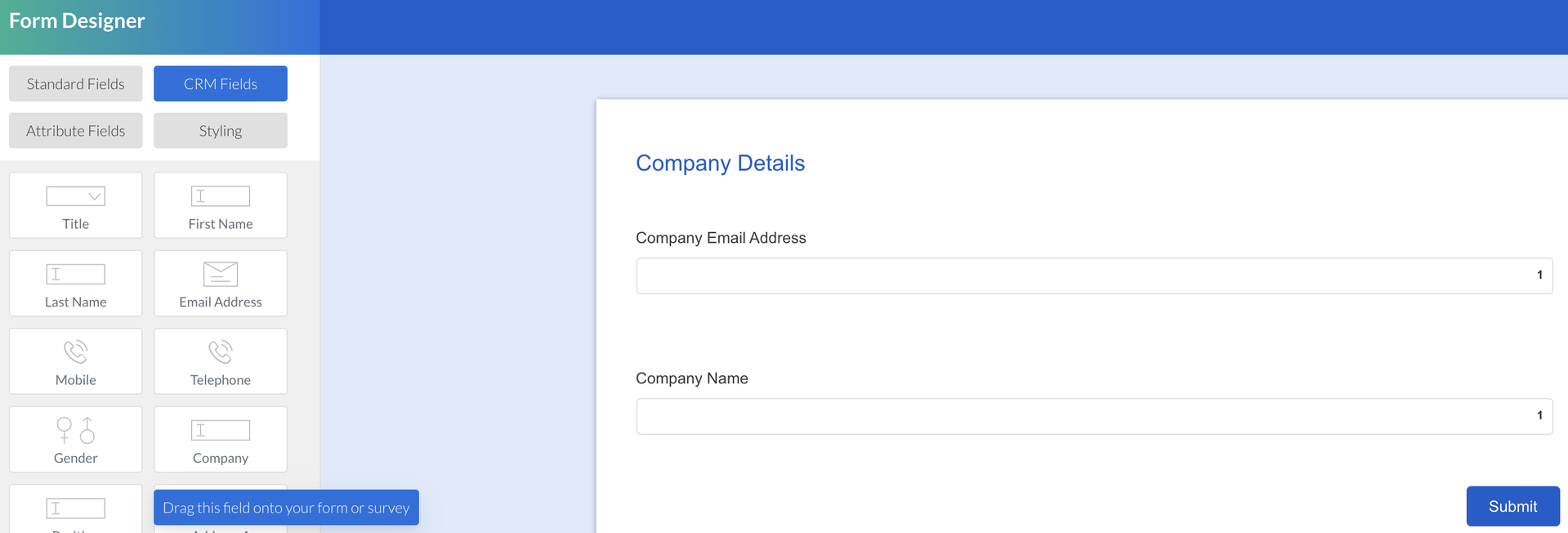
Use the Company field located under CRM Fields to access the company type ahead:
Screenshot2022-02-01at09.58.20.png
When typing in the field, the company type ahead will show for selection:
Screenshot2022-02-01at10.07.31.png
Note: When submitting a form or survey, all company names will show in upper case to ensure the end user cannot differentiate between companies that already exist in the platform and those in HMRC.
Screenshot2021-08-30at13.48.01.png