a-text-logo0.png
Chat Dashboard
Web and SMS Chat Dashboard
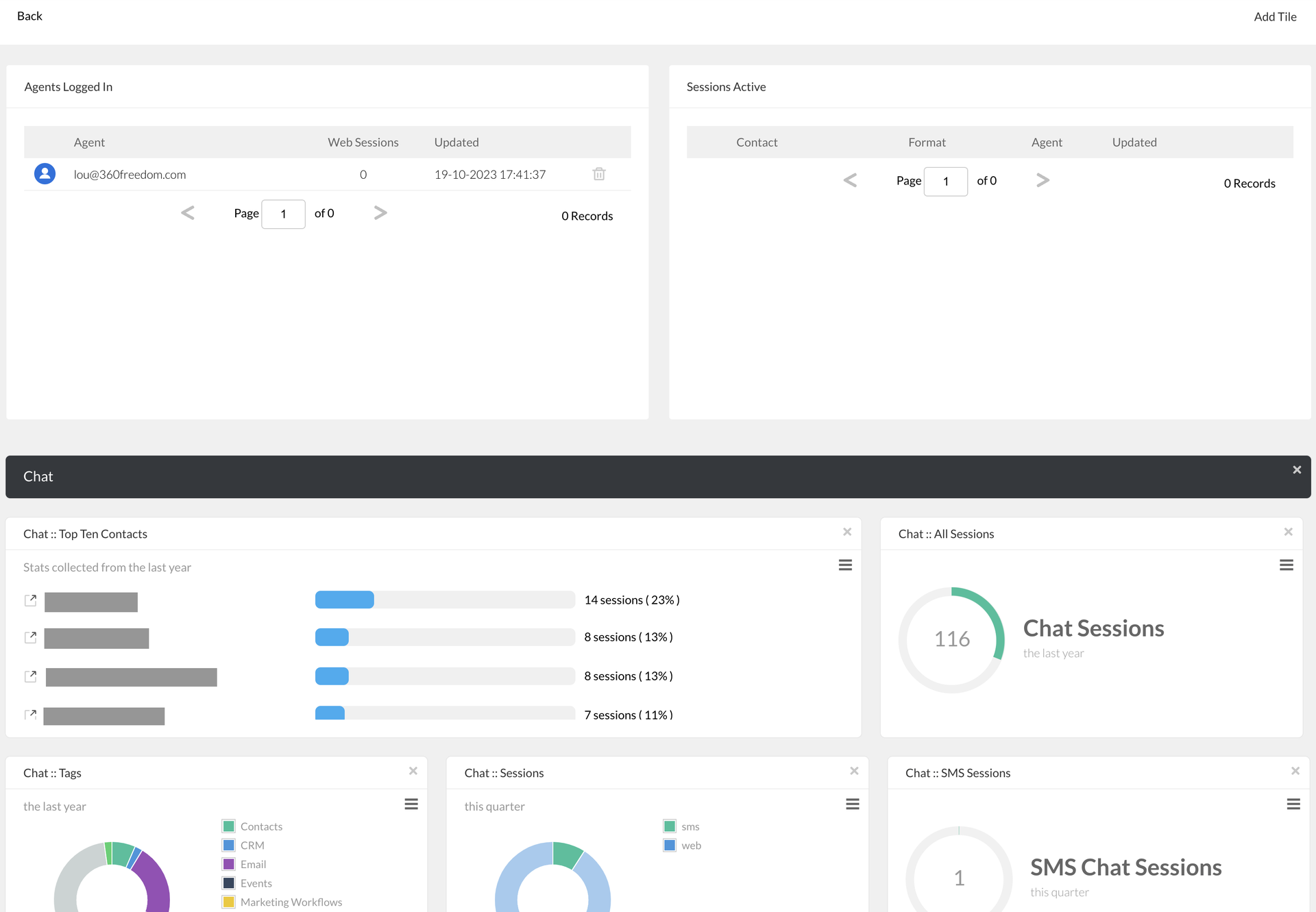
Under Chat > Dashboard you will be able see an overview of Chat sessions completed by month:
Screenshot_2023-10-19_at_17.46.00.png
Agents Logged In

View which agents are currently logged in to arkflux chat and are able / dealing with chat sessions. 
Sessions Active

What chat sessions are currently active in the platform.
Default Tiles

All Sessions
View all Web and SMS sessions over chosen time frame.

Chat Tags
View the amount and type of Tag allocated to sessions, this month vs last month in a pie chart over chosen time frame.

Chat Sessions 
View Web vs SMS Chat stats in a pie chart over chosen time frame.


Chat Website/SMS Sessions
View separate Web and SMS sessions over chosen time frame.

Chat Agents
View which chat agents have logged in to claim sessions over chosen time frame. 
Add Tiles

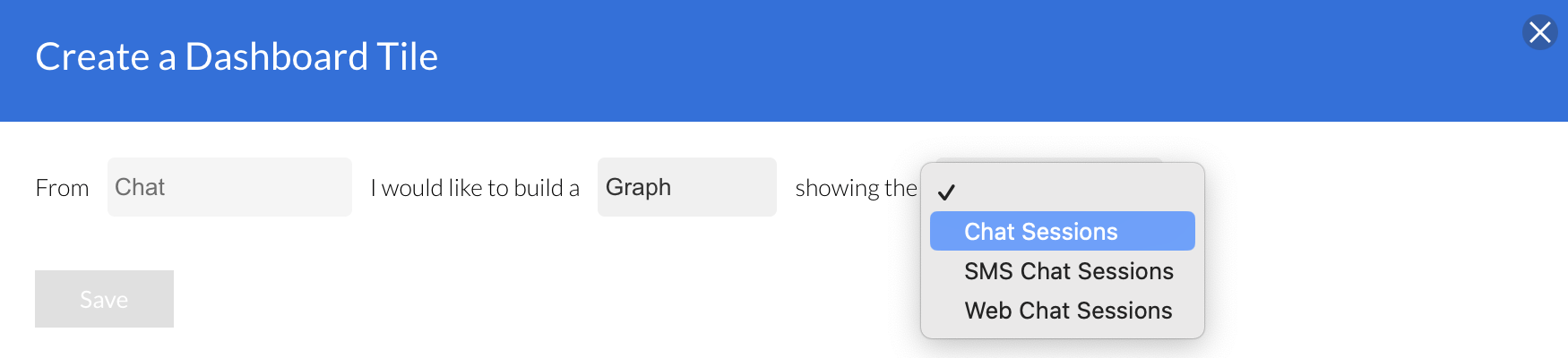
Click the Add Tile button, choose what type of tile you want to build and what data you want it to show.
Screenshot_2023-10-19_at_18.03.16.png
Screenshot2021-08-30at13.48.01.png